AI Chatbots: How They Work, How to Build Them and How to Manage Them
AI chatbots help businesses answer questions, guide users and make information easier to access. From customer support to internal knowledge management, they can improve how people interact with digital services. However, a useful chatbot needs more than fluent responses. It requires reliable information, secure integrations and continuous testing.
What Is an AI Chatbot?
An AI chatbot is a software application that uses artificial intelligence to understand user messages and generate relevant responses. It can be integrated into websites, mobile applications and business platforms.
Some chatbots follow predefined rules, while generative AI chatbots use large language models (LLMs) to respond more flexibly. Businesses can also connect chatbots to approved documents and internal systems to provide answers grounded in their own information.
How Do AI Chatbots Work?
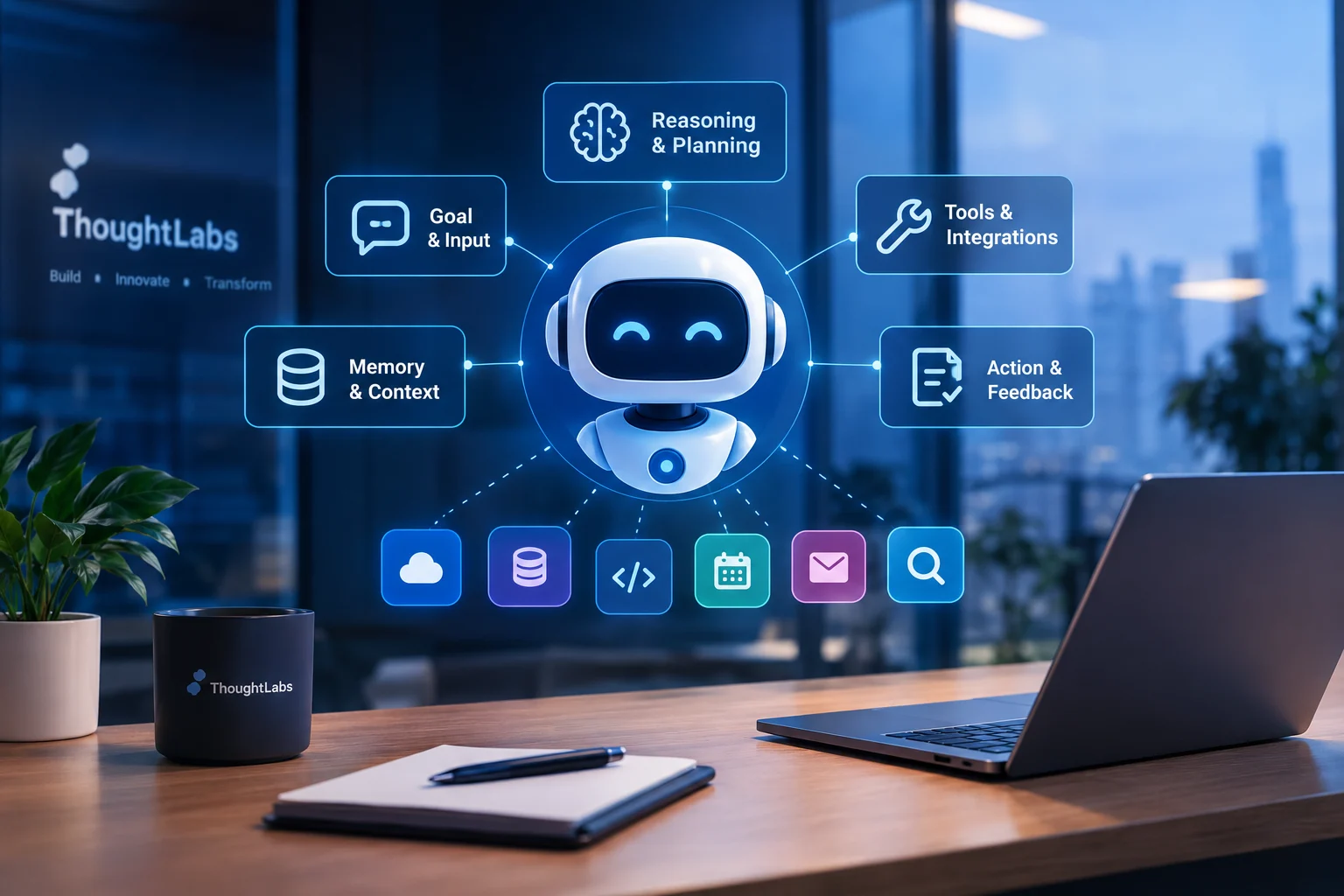
A typical AI chatbot follows these steps:
Receive the message: The user asks a question or makes a request.
Understand the intent: The system interprets the request and relevant conversation context.
Retrieve information: It searches approved knowledge sources or accesses permitted business data when needed.
Generate a response: The AI uses the available information to formulate an answer.
Validate and respond: The application applies relevant safeguards and presents the answer, with sources where appropriate.
Escalate when necessary: If information is missing or the issue is sensitive, the chatbot asks for clarification or transfers the conversation to a human.
The exact process depends on the chatbot's design and integrations.
Where Can Businesses Use AI Chatbots?
AI chatbots can support several business activities:
Customer support: Answer common questions and guide customers through basic issues.
Internal assistance: Help employees find company policies, procedures and technical documentation.
Product guidance: Explain product features and help users find relevant information.
IT help desks: Assist with common technical questions and route unresolved issues.
Business services: Help users navigate booking, billing or other workflows through authorised integrations.
The best use cases have clear objectives, reliable information sources and measurable outcomes.
What Should You Consider When Developing an AI Chatbot?
1. Define its purpose
Identify the intended users, the questions the chatbot should handle and the situations that require human assistance.
2. Use reliable knowledge sources
Keep documentation accurate and up to date. Retrieval-augmented generation (RAG) can help a chatbot retrieve relevant information before generating an answer, but retrieval alone does not guarantee correctness.
3. Prioritise security and privacy
Protect user information, enforce access permissions, secure API credentials and avoid exposing sensitive data in prompts or logs.
4. Test response quality
Test realistic questions, follow-up conversations, missing information, incorrect assumptions and unusual inputs. Verify that answers are supported by reliable evidence.
5. Integrate systems carefully
Use clearly defined APIs and validate important actions independently of the AI model. Require confirmation or human approval for sensitive changes.
6. Design for failure
Provide useful fallback responses when the AI model or an external service is unavailable. The chatbot should acknowledge uncertainty rather than invent information.
How Do You Manage an AI Chatbot?
Launching a chatbot is only the beginning. Ongoing management helps maintain quality and reliability.
Monitor performance: Track response quality, latency, unresolved questions and operating costs.
Update knowledge: Refresh outdated documents and remove incorrect information.
Review conversations: Identify recurring failures and opportunities to improve.
Test changes: Re-evaluate the chatbot when its model, prompts, integrations or knowledge sources change.
Maintain human support: Make escalation available when the chatbot cannot resolve a request.
Measure business value: Evaluate successful resolutions, reduced repeat contacts and user satisfaction instead of counting conversations alone.
Common Challenges
AI chatbots can produce incorrect answers, retrieve outdated information, misunderstand requests or expose information if access controls are poorly designed. Integrations may also fail, and operating costs can increase with unnecessary model calls.
Reliable data, restricted permissions, regular testing and clear escalation procedures help address these challenges.
Conclusion
AI chatbots can make business information and services easier to access when they are designed around real user needs. Their success depends on reliable knowledge, secure integrations, effective testing and continuous improvement.
Start with a clearly defined use case, measure actual results and keep human support available when needed. The goal is not simply to build a chatbot that can answer questions, but one that provides useful, trustworthy and secure assistance.
Further Reading
Microsoft — Azure Architecture Center: https://learn.microsoft.com/en-us/azure/architecture/
OWASP — Top 10 for Large Language Model Applications: https://genai.owasp.org/llm-top-10/
NIST — AI Risk Management Framework: https://www.nist.gov/itl/ai-risk-management-framework